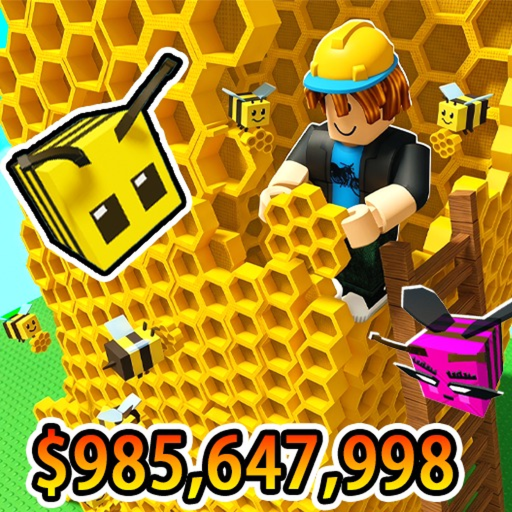
Grow a Beehive Beginner's Guide
Welcome to Grow a Beehive, the Roblox beekeeping tycoon by fantastic_games. This guide walks you through everything from your first login to a profitable hive setup. If you prefer video, skip ahead to the tutorial embedded below after reading the core loop overview.
Understanding the Core Game Loop
Grow a Beehive follows a simple but rewarding progression cycle: buy flower seeds from the shop, plant them in your garden, wait for them to grow, attract bees, collect honey from your hive, sell honey for cash, and reinvest in better flowers. You cannot buy bees directly — every bee species is tied to a specific flower type. Plant a Tulip and you attract a Tulip Bee; plant a Cactus and you get the powerful Cactus Bee with 18 m/s speed and 1,000 pollen carry capacity.
The biggest mistake new players make is spreading cheap flowers across the entire garden plot. Bee travel distance directly reduces honey output, so placement matters enormously. Once you finish this guide, read our dedicated flower placement guide to optimize your layout. For now, focus on learning the controls and completing your first profitable cycle.
Essential Controls and Navigation
Movement uses standard WASD keys with Spacebar to jump. Press E near your hive to interact and collect honey — hold E to gather all honey at once rather than tapping repeatedly. Number keys 1 through 10 equip items from your inventory: seeds, flowers, or the shovel. Left-click on an empty plot to plant your equipped seed. To remove an unwanted flower, equip the shovel (usually slot 1) and click the flower you want to dig up.
Three teleport buttons simplify navigation across the map. The Beehive button returns you to your personal garden and hive. The Buy button teleports to the flower shop where seeds rotate every five minutes. The Sell button takes you to the honey buyer where you convert honey into spendable cash. Use Sell ALL Honey for the fastest transactions. Check our full controls reference page for every key binding, including sidebar navigation for viewing individual bee stats.

Your First Hour: Step-by-Step Progression
When you spawn, you receive $10 starting cash. Immediately press the Buy button and purchase the cheapest available seeds — usually Daisies at $5 each. Return to your garden via the Beehive button and plant every seed on plots closest to your hive at the back of the garden. Wait for flowers to grow (Daisies take about one minute), then watch bees arrive automatically.
Stand near the hive and hold E to collect your first batch of honey. Teleport to the Sell button and choose Sell ALL Honey. Reinvest your earnings into better seeds. Sunflowers and Roses are solid early upgrades from Common-tier Daisies. Avoid buying too many cheap flowers at once — two or three mid-tier flowers near the hive outperform a dozen Daisies scattered across the plot.
Claim free promo codes early for a massive head start. Codes like 1YTOGETHER and HappyHoliday grant high-tier seeds and elixirs limited to 10,000 total uses. Browse our active codes page and follow the code redemption guide for step-by-step instructions. Codes can jump you past hours of grinding.
Early Upgrades and What to Prioritize
Your first major milestone is affording Tulip seeds ($200) or Bluebell seeds ($350), which attract A-tier bees with significantly better speed and carry stats. Monitor the shop using our shop restock timer — rare flowers appear randomly during the five-minute rotation. Read the shop restock strategy guide for timing tips.
Elixirs speed up flower growth. Fairy Elixir I and II are common rewards from codes and the shop. Save Growth Potions for your most expensive seeds since they instantly complete growth. Track your bee collection in the in-game Bee Album and use our bee album checklist to see what you are missing.
Once your hourly income stabilizes, shift focus to honey optimization. The honey farming guide covers sell timing, bee stat priorities, and income scaling. If a Giant Flower mutation appears in your garden, never remove it — Giant Bees are among the strongest in the game. Learn more in our giant bees guide.
What Comes Next
After mastering the basics, explore the flower tier list and bee tier list to plan your end-game hive. The current Interstellar Event adds Weightless Weather, star collection, and exclusive rewards — our Interstellar Event guide explains everything. For a structured path through all game content, follow the full walkthrough.
Related Pages
Maximize honey income per hour with advanced farming strategies.
How to Redeem CodesClaim free seeds and elixirs from promo codes.
Interstellar Event GuideMaster the current live event and earn exclusive rewards.
Flower Placement GuideOptimal garden layouts for faster bee collection.
How to Get Giant BeesTrigger Giant Flower mutations and attract Giant Bees.
Shop Restock StrategyNever miss rare flowers during shop rotations.
Frequently Asked Questions
How much starting money do I get in Grow a Beehive?
You start with $10. Buy cheap seeds immediately, plant near your hive, collect honey, sell, and reinvest. Codes from our codes page can give you high-tier seeds instantly.
Can I buy bees directly in Grow a Beehive?
No. Bees are attracted by planting specific flower types. Each flower species spawns its matching bee automatically once fully grown. See our bee database for the full list.
Where should I plant my first flowers?
Always plant closest to your beehive at the back of the garden. Bee travel distance reduces honey output. Read the flower placement guide for detailed layout strategies.
How do I collect honey from the hive?
Stand near your beehive and press E. Hold E to collect all honey at once. Higher-tier bees with better Speed and Carry stats fill the hive faster.
What is the best early flower to buy?
Start with Daisies, then upgrade to Sunflowers, Roses, and eventually Tulips or Bluebells. Compare all options on our flower tier list.
How often does the shop restock?
Every five minutes with a rotating selection. Rare flowers like Cactus appear infrequently. Use our shop restock timer and read the restock strategy guide.